
Download Arles Image Web Page – image to web page, photo gallery, HTML gallery, web page generator, online photo gallery, create web page from images, web gallery tool, image web page converter, photo web page, online gallery
Overview
Arles Image Web Page is a specialized utility designed to transform digital images into fully functional HTML webpages, enabling users to create personalized online photo galleries with minimal effort. The app addresses the common challenge of sharing visual content beyond social media by offering a straightforward method to publish high-quality image collections directly on the web. Its primary purpose is to bridge the gap between image storage and public presentation, making it ideal for photographers, hobbyists, and individuals seeking to showcase their visual work in a clean, accessible format.
Target users include anyone with a collection of images who wants to share them online without needing advanced web development skills. Whether for personal use, family memories, or professional portfolios, the app streamlines the process of turning static photos into interactive web experiences. The developer, Arles, has positioned this tool within the productivity category, emphasizing its efficiency and ease of use. Although no additional background on the developer is available, the app’s long-standing presence since its release on September 16, 2013, indicates a stable and functional solution that has stood the test of time.
Real-world applications include creating event galleries, travel photo collections, or digital art exhibitions. In the broader app ecosystem, Arles Image Web Page fills a niche for lightweight, no-code tools that empower users to take control of their digital content’s presentation. The fact that it remains free and available for Windows suggests a commitment to accessibility and user empowerment in the realm of personal web publishing.
Key Features & Functionality
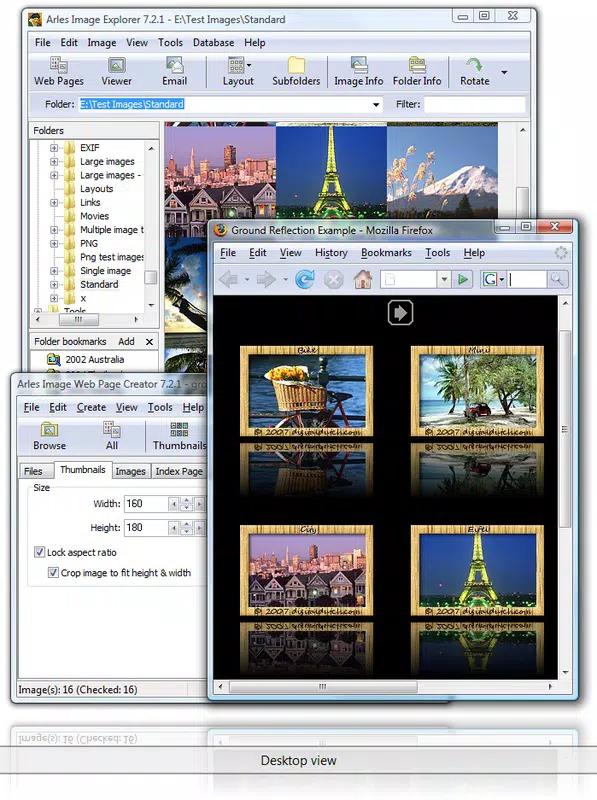
- Automatic Webpage Generation: The app automatically generates HTML galleries from selected image files, eliminating the need for manual coding or complex design work. This feature allows users to focus on curating their visual content while the software handles the technical aspects of page creation.
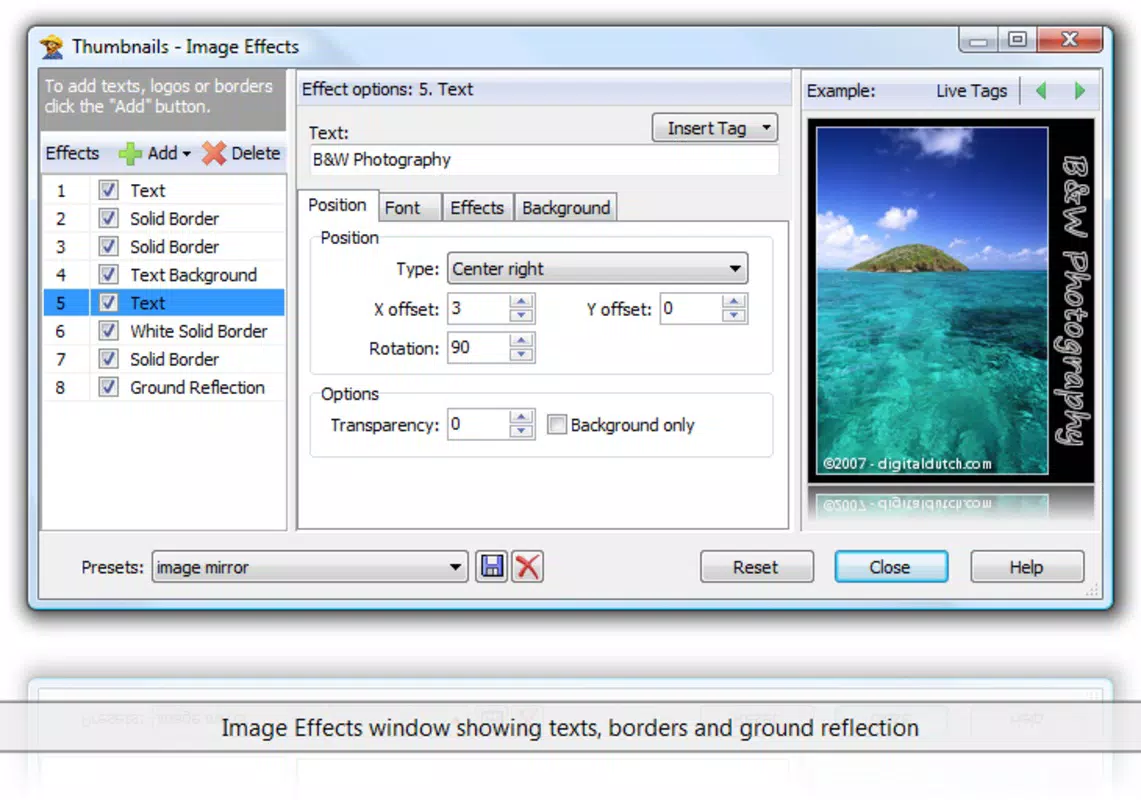
- Customizable Layout Options: Users can adjust the number of columns, add descriptive text, and apply visual effects to their galleries. This flexibility ensures that each gallery can reflect the user’s personal style, whether minimalist or feature-rich.
- Multiple Image Format Support: Arles Image Web Page supports a wide range of formats including JPG, PNG, GIF, BMP, PSD, PSP, TGA, WMF, and ICO. This broad compatibility allows seamless integration of images from various sources and editing tools.
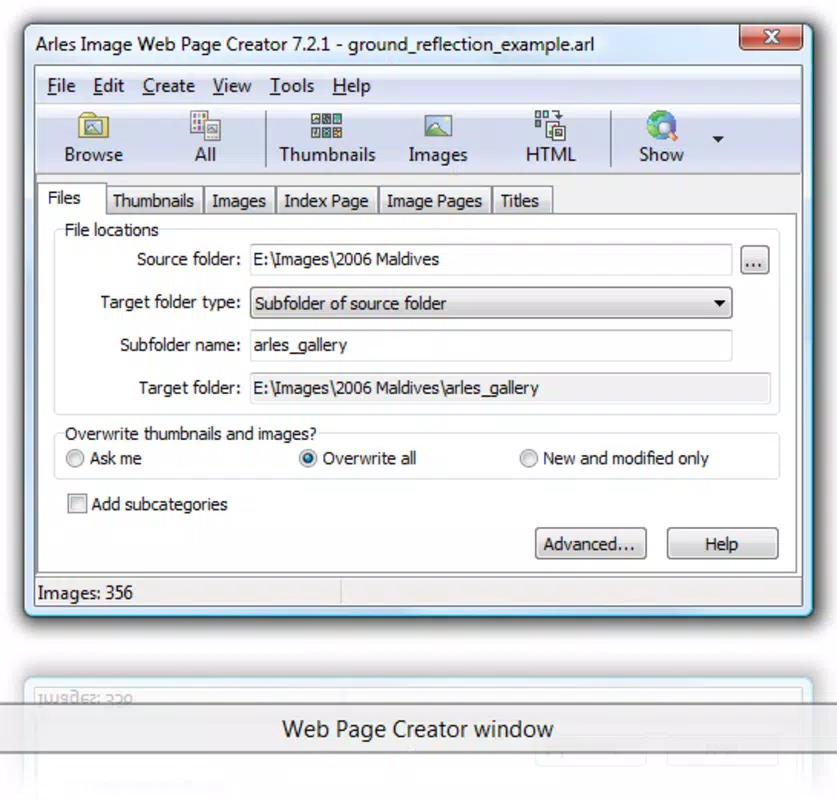
- User-Friendly Interface: The app features an intuitive layout that simplifies navigation and reduces the learning curve. Even users with no prior web development experience can create professional-looking galleries with confidence.
- Fast and Efficient Processing: Designed for speed, the application quickly renders galleries after image selection, minimizing wait times and enabling rapid sharing of visual content.
For example, a user planning a wedding can select all photos, apply a two-column layout with captions, and generate a complete web gallery in minutes. Similarly, a student presenting a photography project can use the tool to build a responsive, embeddable online exhibit without writing a single line of code. These real-world scenarios highlight how the app enhances productivity and creativity across diverse use cases.
Interface, UX & Performance
Arles Image Web Page features a clean, minimalist interface that prioritizes functionality over visual flair. The layout is organized around core actions: image import, layout customization, and gallery generation. Navigation is linear and predictable, guiding users through each step with clear labels and minimal clutter. This design approach supports a smooth user experience, particularly for those unfamiliar with web development tools.
Although the developer did not list formal performance metrics, the app’s small file size of 2.5 MB suggests optimized resource usage. It is likely to run efficiently on a wide range of Windows systems, including older hardware. Responsiveness appears to be consistent, with minimal lag during image processing and layout adjustments. Stability is implied by the app’s long-term availability, though specific crash reports or error logs were not provided.
For users working on devices with limited processing power, the lightweight nature of the software may contribute to a smoother experience. However, detailed information about performance across different device categories was not disclosed. Overall, the interface prioritizes usability, making it accessible to both novice and intermediate users seeking a reliable way to publish images online.
Platform Compatibility & Technical Requirements
Arles Image Web Page is available exclusively for the Windows operating system. The app runs on Windows platforms, though specific OS versions were not listed by the developer. The software has a file size of 2.5 MB, indicating a lightweight footprint that requires minimal storage space. This small size enhances portability and reduces installation time.
Although the developer did not specify minimum OS requirements or hardware specifications, the app’s long-standing release history suggests compatibility with a broad range of Windows environments. Users should expect standard functionality on modern Windows systems, but compatibility with older versions cannot be confirmed without official documentation. No information was provided about support for alternative platforms such as macOS or Linux.
For those seeking to use the tool on mobile devices or non-Windows systems, no such option is currently available. The absence of platform details means users should exercise caution when installing on unsupported or outdated systems.
Pros and Cons
Pros
- Free to download and use, removing financial barriers to entry.
- Lightweight design with a small file size of 2.5 MB.
- Supports multiple image formats, enhancing compatibility with diverse sources.
- Intuitive interface suitable for users of all skill levels.
- Automates the creation of HTML galleries, saving time and effort.
Cons
- Platform limited to Windows; no support for macOS, iOS, or Android.
- Specific technical requirements were not disclosed by the developer.
- Limited customization options beyond layout and text, with no indication of advanced styling features.
- No official update history or version changelog provided.
- Compatibility with newer Windows versions cannot be confirmed without official details.
FAQ
Is Arles Image Web Page safe to download?
Yes, the app is free and available from its official developer. However, users should ensure they download from trusted sources to avoid potential risks.
Can I use Arles Image Web Page on my mobile device?
Currently, the app is only available for Windows. There is no official version for Android, iOS, or other mobile platforms.
What image formats are supported?
The app supports a wide range of formats, including JPG, PNG, GIF, BMP, PSD, PSP, TGA, WMF, and ICO, among others.
Do I need coding knowledge to use this tool?
No, the app is designed for users without web development experience. It automatically generates HTML code, so users only need to select images and adjust basic settings.
How often is the app updated?
The developer has not provided information about update frequency or release history. Users should check the official source for the latest version.
Final Thoughts
Arles Image Web Page stands out as a focused, no-frills tool for turning image collections into accessible online galleries. Its ability to generate HTML pages automatically, combined with customizable layout options and broad format support, makes it a valuable asset for anyone wanting to share photos online without technical hurdles. While its platform limitation to Windows and lack of detailed system requirements may restrict its reach, the app’s simplicity, efficiency, and free access offer strong value for its intended audience.
Photographers, students, and casual users who value speed and ease of use will benefit most from this utility. For those looking to publish visual content quickly and securely, Arles Image Web Page delivers a reliable, straightforward solution. Despite its age, the tool remains relevant in a market that increasingly values lightweight, user-driven content creation.
Download Arles Image Web Page now


